Travel Tips
FIFA World Cup 2026: Your Complete Connectivity Guide for North America
Heading to the 2026 FIFA World Cup across the USA, Canada, or Mexico? Here's everything you need to know to stay connected, save money, and never miss a moment.

The 2026 FIFA World Cup is unlike anything the sport has ever seen. For the first time in history, three nations are co-hosting the tournament: the United States, Canada, and Mexico. With 48 teams, 104 matches, and over 5 million tickets expected to be sold, it is the biggest World Cup ever staged.
For international travellers making the trip, that means crossing multiple borders, switching time zones, navigating unfamiliar cities, and trying to stay in touch with everyone back home, all while keeping up with match schedules, transport apps, and stadium guides in real time. Your phone is going to be working overtime. The last thing you need is a roaming bill that costs more than your flights.
That is where Ozly comes in.
The tournament at a glance

The tournament runs from June 11 to July 19, 2026. Matches are spread across 16 host cities:
United States (11 cities): New York/New Jersey, Los Angeles, Dallas, San Francisco Bay Area, Miami, Atlanta, Seattle, Boston, Kansas City, Philadelphia, Houston
Canada (2 cities): Toronto, Vancouver
Mexico (3 cities): Mexico City, Guadalajara, Monterrey
If you are following your team through the group stage and into the knockouts, there is every chance you will be moving between two or even three countries over the course of a few weeks. A standard roaming SIM from your home carrier will chew through money fast. A regional eSIM is the smarter play.
8 tips for travelling to the World Cup

1. Sort your data before you board
Do not wait until you land at LAX or Toronto Pearson to sort out connectivity. Roaming charges from home carriers across North America can hit AU$15 to AU$30 per day. Activate your Ozly eSIM before departure and you will be online the moment your plane touches down.
2. Download everything offline before match day
Stadium Wi-Fi at major sporting events is notoriously unreliable. Before you head to any match, download your tickets to your phone's wallet, save your transport route offline in Google Maps, and grab any translation apps you need. Do not rely on a live connection once you are inside.
3. Use dual SIM to keep your home number active
Most modern smartphones support dual SIM, meaning you can run your Ozly eSIM for data alongside your existing physical SIM for calls and texts from home. Your family can still reach you on your normal number. You just are not paying through the nose for data.
4. Book accommodation and transport early, and confirm via app
Cities like New York, Los Angeles, and Mexico City will be at capacity. Accommodation around host venues is already being snapped up. Book well in advance and use apps like Airbnb, Booking.com, or local equivalents. You will need reliable data to manage these on the go.
5. Know the local transport apps per country
Each country has different go-to apps. In the US, Uber and Lyft dominate. In Mexico, InDriver and Cabify are popular alternatives to Uber. In Canada, Uber is widely available but local transit apps vary by city. Download and verify these before you travel rather than scrambling on arrival.
6. Get a currency strategy sorted
You are travelling across three countries with three currencies: US dollars, Canadian dollars, and Mexican pesos. A Wise or Revolut card handles multi-currency well and keeps fees low. Keep some local cash for smaller vendors around stadiums, who often do not take cards.
7. Watch out for time zone jumps
The US alone spans multiple time zones. If you are hopping from, say, a group stage match in Vancouver (Pacific Time) to a knockout game in Miami (Eastern Time), that is a three-hour shift. Keep your match schedule in a world clock app and set local alarms rather than relying on memory.
8. Back up your documents digitally
Keep digital copies of your passport, visa (if applicable), match tickets, and travel insurance in a cloud storage app or a secure notes app. If your wallet gets lost or stolen in a crowded stadium precinct, you will thank yourself.
Why connectivity matters more than ever at a multi-country World Cup

Past tournaments were contained to one country with one network environment. In 2026, you might start the tournament watching a group stage game in Guadalajara, then fly to Dallas for the round of 16, then up to Toronto for a quarterfinal. Every border crossing is a new network, potentially new roaming rules from your home carrier, and a new risk of unexpected charges.
This is precisely why a regional North America eSIM makes sense. Rather than buying separate local SIMs in each country or relying on your home plan's roaming rates, one eSIM plan covers your data needs across all three host nations seamlessly.
How Ozly keeps you connected across the USA, Canada, and Mexico

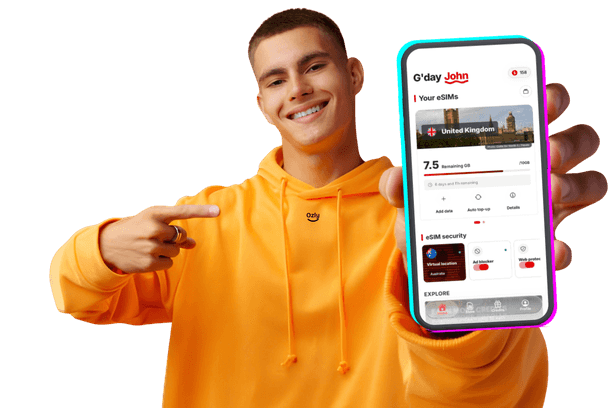
Ozly offers flexible eSIM plans built for travellers. No contracts, no physical SIM swaps, no hunting for a dodgy airport SIM kiosk at midnight. You activate everything through the app or site before you even leave home.
Here is what Ozly has available for the World Cup host nations:
United States
The US is home to 11 of the 16 host cities, making it the centrepiece of the tournament. Coverage across major metro areas is strong, with Ozly US plans running on top-tier networks.
What to expect: Dense urban coverage in all host cities. Stadium precincts, airports, and transit hubs are well served. Reliable 4G/LTE with 5G available in most host city centres.
Recommended use: Navigation between venues, streaming match highlights, video calls home, managing accommodation and transport bookings.
Canada
Vancouver and Toronto are both major international hubs with excellent network infrastructure.
What to expect: Strong 4G/LTE coverage across both host cities. Vancouver's transit network and Toronto's sprawling downtown core are well covered. Rural gaps exist outside city limits but are not relevant for most World Cup travellers.
Recommended use: Getting around Toronto's TTC or Vancouver's SkyTrain, finding fan zones, keeping up with bracket updates.
Mexico
Mexico City, Guadalajara, and Monterrey are three of the country's largest and most connected cities.
What to expect: Solid urban coverage in all three host cities. Mexico City in particular has seen significant network investment. Data speeds can vary in older stadium precincts but are generally reliable for day-to-day use.
Recommended use: Navigation in dense city traffic, real-time translation apps, staying in touch with your group across a large and busy city.
The North America bundle: one plan, three countries

If your World Cup trip takes you across more than one host country, Ozly's North America bundle is the most cost-effective option available. Rather than buying separate plans for each country, one bundle covers your data across the USA, Canada, and Mexico for the duration of your trip.
Who it is for: Fans following their national team through multiple stages, travellers combining the World Cup with a broader North America trip, or anyone whose itinerary crosses a border at least once.
Key benefits:
- Activate before you leave home, no setup on arrival
- Switch between countries without changing plans or losing connectivity
- Top up data easily through the Ozly app if you run low
- No surprise roaming charges or per-day fees from your home carrier
- Works on most unlocked modern smartphones with eSIM support
Check if your phone is eSIM compatible
Before you purchase, confirm your device supports eSIM. Most flagship smartphones released from 2020 onwards support it, including iPhone XS and later, Google Pixel 3 and later, and Samsung Galaxy S20 and later. You can check compatibility directly on the Ozly site here.
Get sorted before the tournament kicks off
The 2026 World Cup is a once-in-a-generation event. Three countries, 48 teams, 104 matches, and one of the most logistically complex sporting trips you will ever plan. The last thing you want is to be fumbling around trying to connect at 11pm in a city you have never visited before.
Get your Ozly eSIM sorted well before departure. Activate it the day before you fly. Land, connect, and focus on what actually matters: the football.