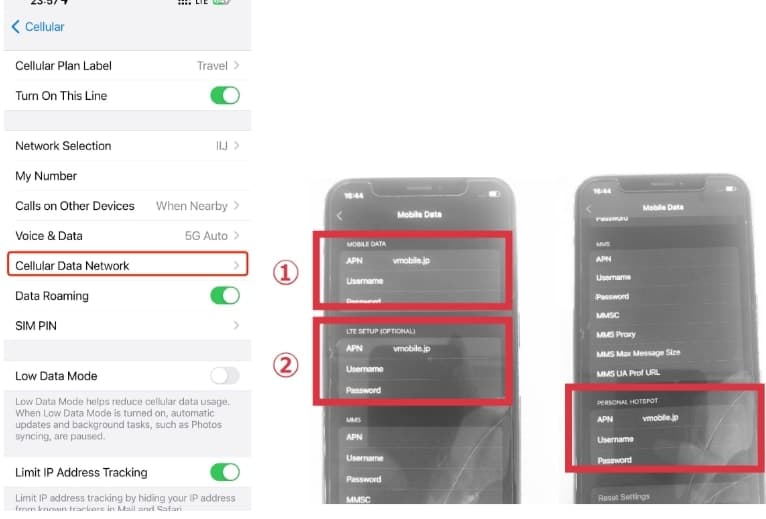
APNs are set automatically on most iOS plans, with one key exception: Japan.
iOS (Japan): set APN to vmobile.jp.
Android: in some cases, you may need to enter APN manually.
If you have no internet connection after arriving in Japan, follow these iPhone steps:
- Open the Settings app.
- Tap Mobile Data (or Cellular).
- Tap Mobile Data Network (or Cellular Data Network).
- Under Mobile Data / Cellular Data, find the APN field and enter vmobile.jp.
- After saving, turn on Data Roaming for the Ozly eSIM line.
Hotspot sharing and tethering are supported by default. For Japan, configure hotspot APN as shown below: